Olares 1.12.7: Router, Lares, and a Broader Local AI Experience

Olares 1.12.7 centers on two additions: Router and Lares. Router provides a shared foundation for models and tools across Olares, and Lares uses that foundation to offer a first-party agent experience for your personal cloud. Together, they make the platform’s growing AI ecosystem easier to configure, extend, and use.
That shared foundation arrives with a broader model catalog spanning chat, speech, translation, OCR, retrieval, and music generation. The release also includes improvements across search, app lifecycle reliability, hardware support, and multi-node management, alongside recent updates to LarePass and Market.
Read on for the highlights, or see the complete release notes for the full change list.
Before you begin, see How to update to 1.12.7.
At a glance
- Router gives AI applications one managed interface for local models, compatible external providers, and tools such as web search, web fetch, translation, and OCR.
- Lares is the first-party Olares agent for planning and carrying out multi-step work across apps, files, and system services.
- The model catalog expands beyond chat across speech, translation, OCR, embeddings and reranking, and music creation.
- Recent LarePass updates make LAN access easier, translate webpages through Router, and save downloads to Olares with Fetch.
- Support for five additional languages begins rolling out across the Olares experience: French, German, Italian, Spanish, and Japanese.
- Ticket provides a private path to official support from an Olares device or Olares Space.
A consistent foundation for AI across Olares
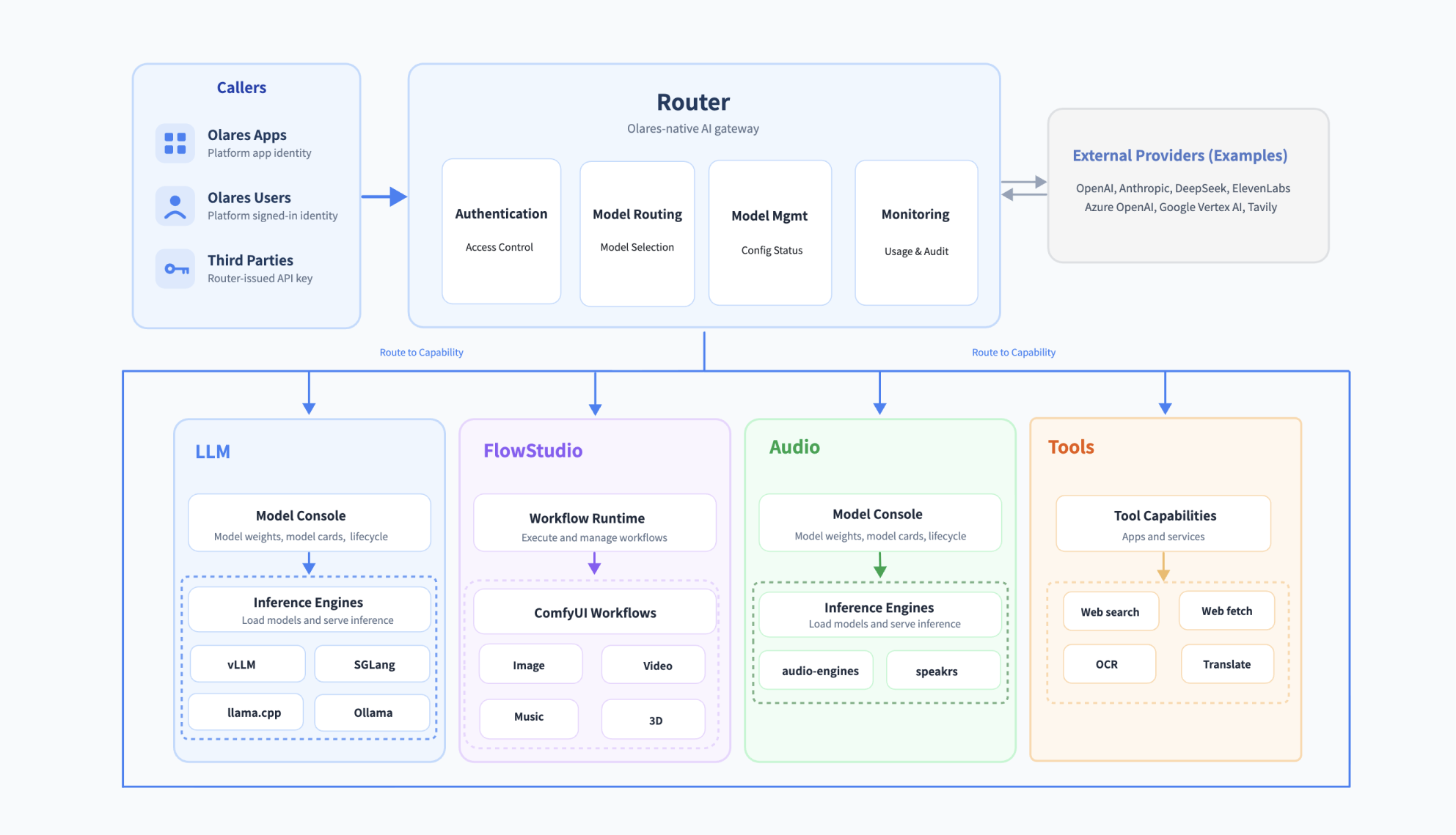
Local models, external providers, and AI tools all have different APIs, names, credentials, and operating characteristics. Router gives Olares applications a common way to reach these capabilities while keeping provider configuration, access control, and usage records in one place.
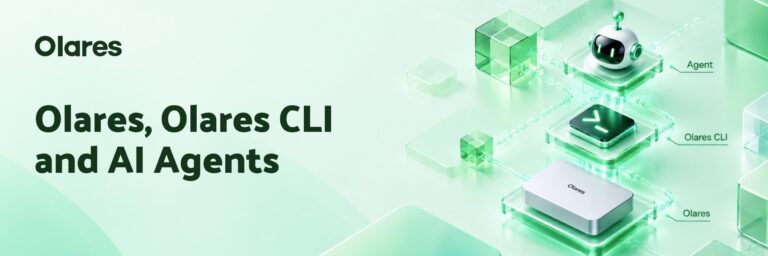
Lares uses that shared layer to choose models and tools, then combines it with Olares CLI and Agent Skills to work across the rest of the system.
The two products have distinct roles: Router coordinates access to AI capabilities, while Lares turns a goal into a sequence of actions inside your personal cloud.
One interface for models and tools with Router
Router organizes available capabilities into four broad groups:
| Category | Examples |
|---|---|
| Language models | Chat, reasoning, coding, and tool use |
| Audio | Speech recognition, text-to-speech, voice cloning and design, speaker diarization, and audio enhancement |
| Creative | Image, video, and music generation |
| Tools | Web search, web fetch, translation, OCR, embeddings, and reranking |
For an AI app, Router provides a single connection point for configured models and tools. Provider connections, access policies, and default models are managed centrally in Router, so applications that use a Router default automatically follow the active selection when it changes.
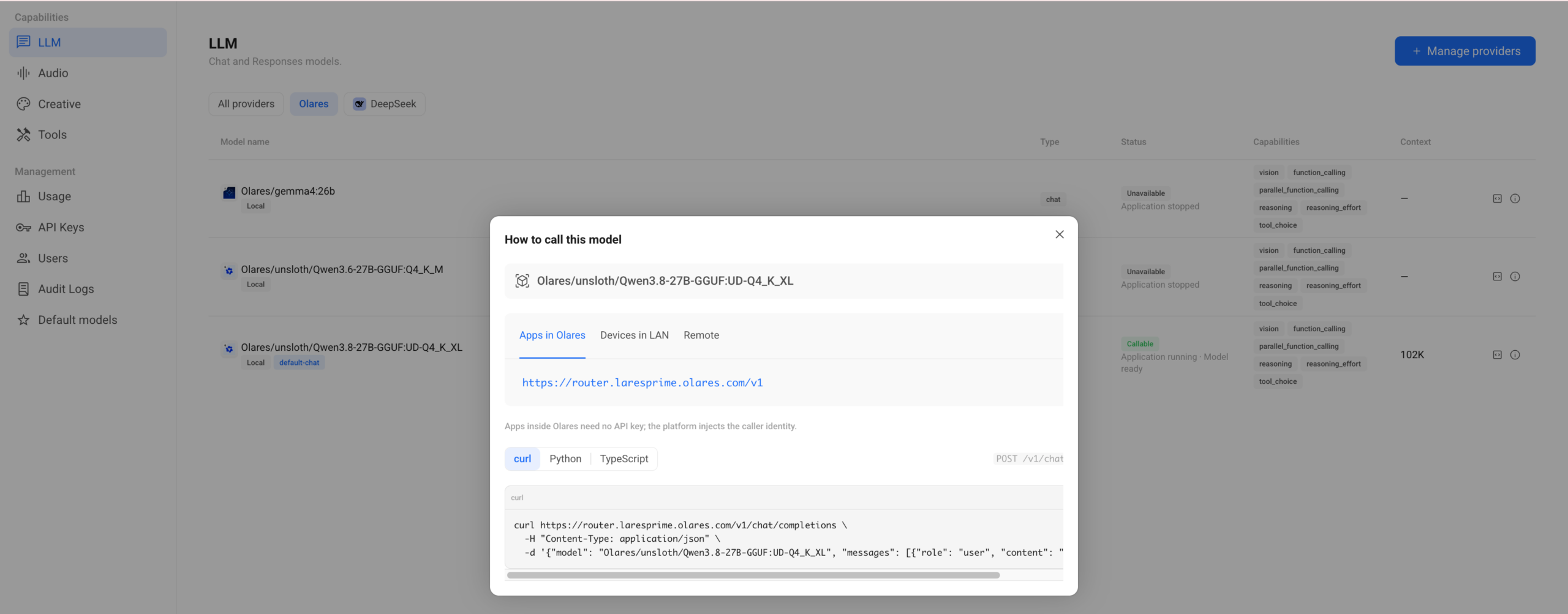
Applications inside Olares can use platform identity without an API key. External clients and third-party integrations can use Router-issued API keys with defined model scopes, expiration dates, and quotas. Administrators can revoke these keys when needed without exposing upstream provider credentials.
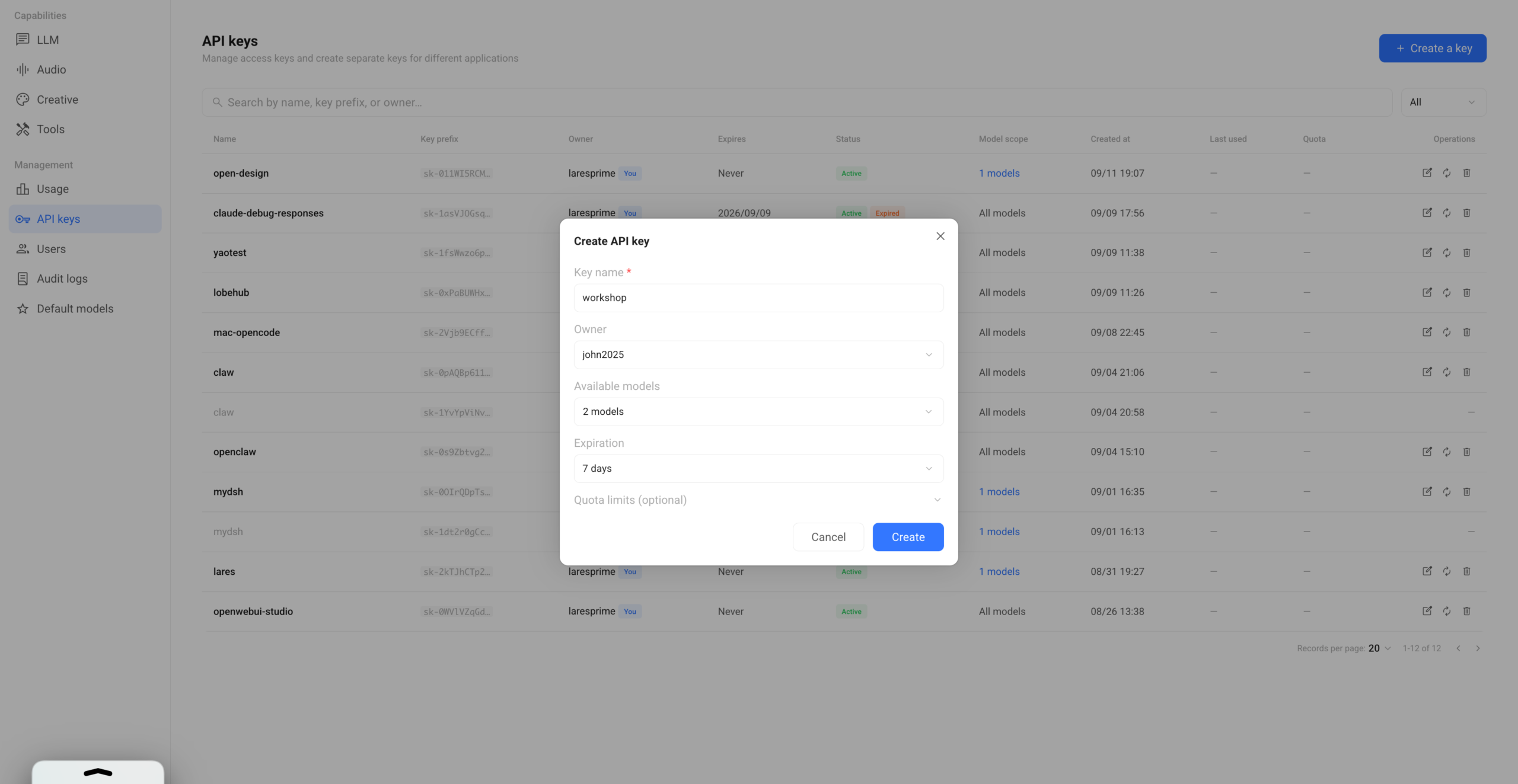
See Using Olares Router for architecture, authentication, and connection examples.
Meet Lares, the first-party agent for your personal cloud
Lares gives your Olares personal cloud a conversational interface. Ask it to organize files, research a topic, deploy apps, inspect your system, or manage your Olares environment in plain language.
Lares coordinates the AI models and tools configured in Router, then uses Olares CLI and Agent Skills to carry out system actions. Because it runs as an approved Olares application, it can use the credentials provided by the platform. You do not need to create a separate CLI profile or configure the same providers again inside Lares.
Lares is designed for tasks that involve more than one step. A research request can search the web, open promising sources, extract relevant material, and return a structured answer with links. An app-porting request can start with a repository or Docker Compose file, turn it into an Olares Application Chart, deploy it, inspect the result, and iterate on issues it finds. The value is the ability to keep the steps, tools, decisions, and results together in one task.
Note: When using Lares with Qwen3.8-27B on Olares One, we recommend running one request at a time to preserve the 100K context window and model accuracy.
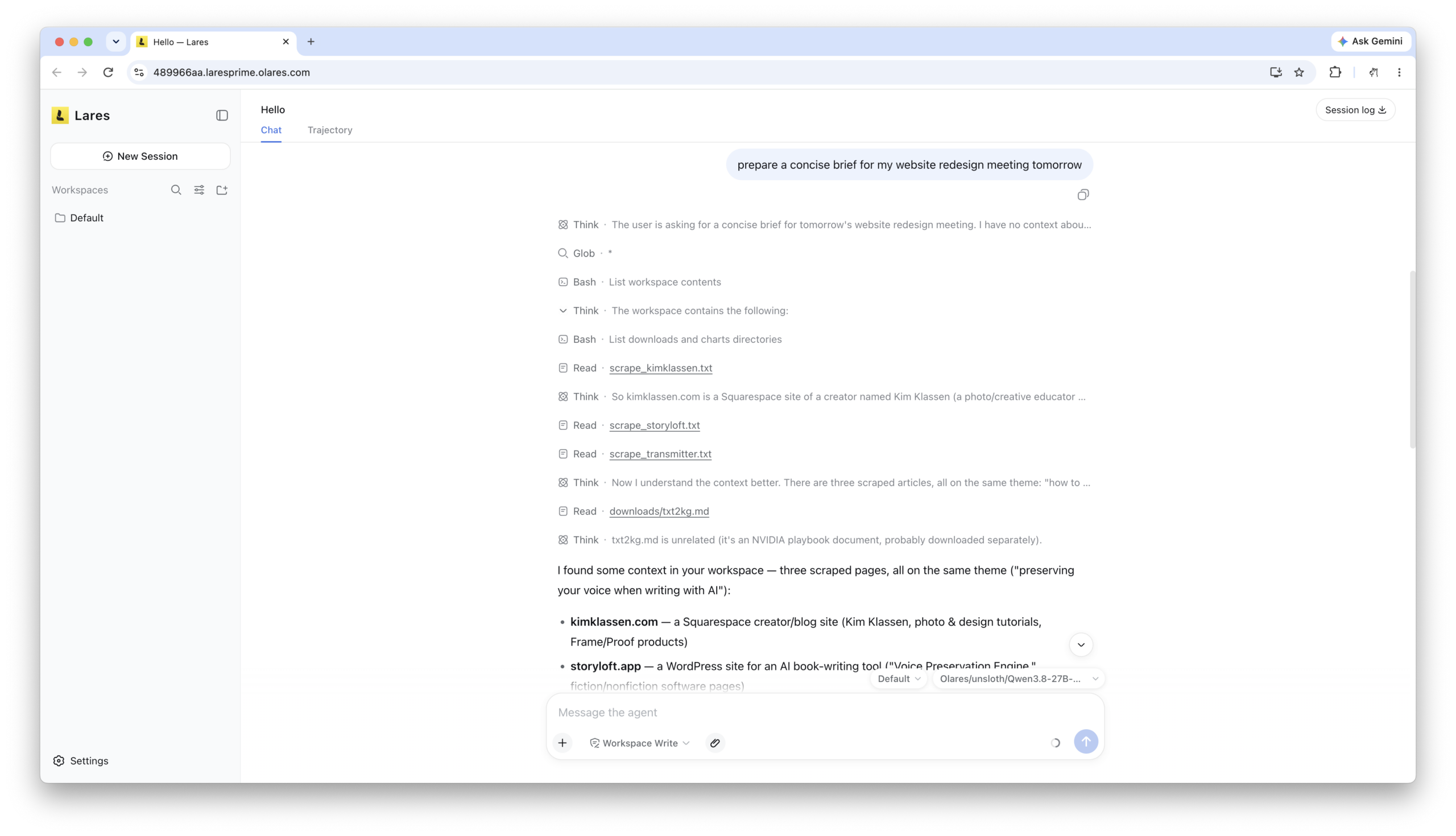
Start with the Lares tutorial, or use the Olares onboarding guide for a broader introduction to working with agents on Olares.
More models for more kinds of work
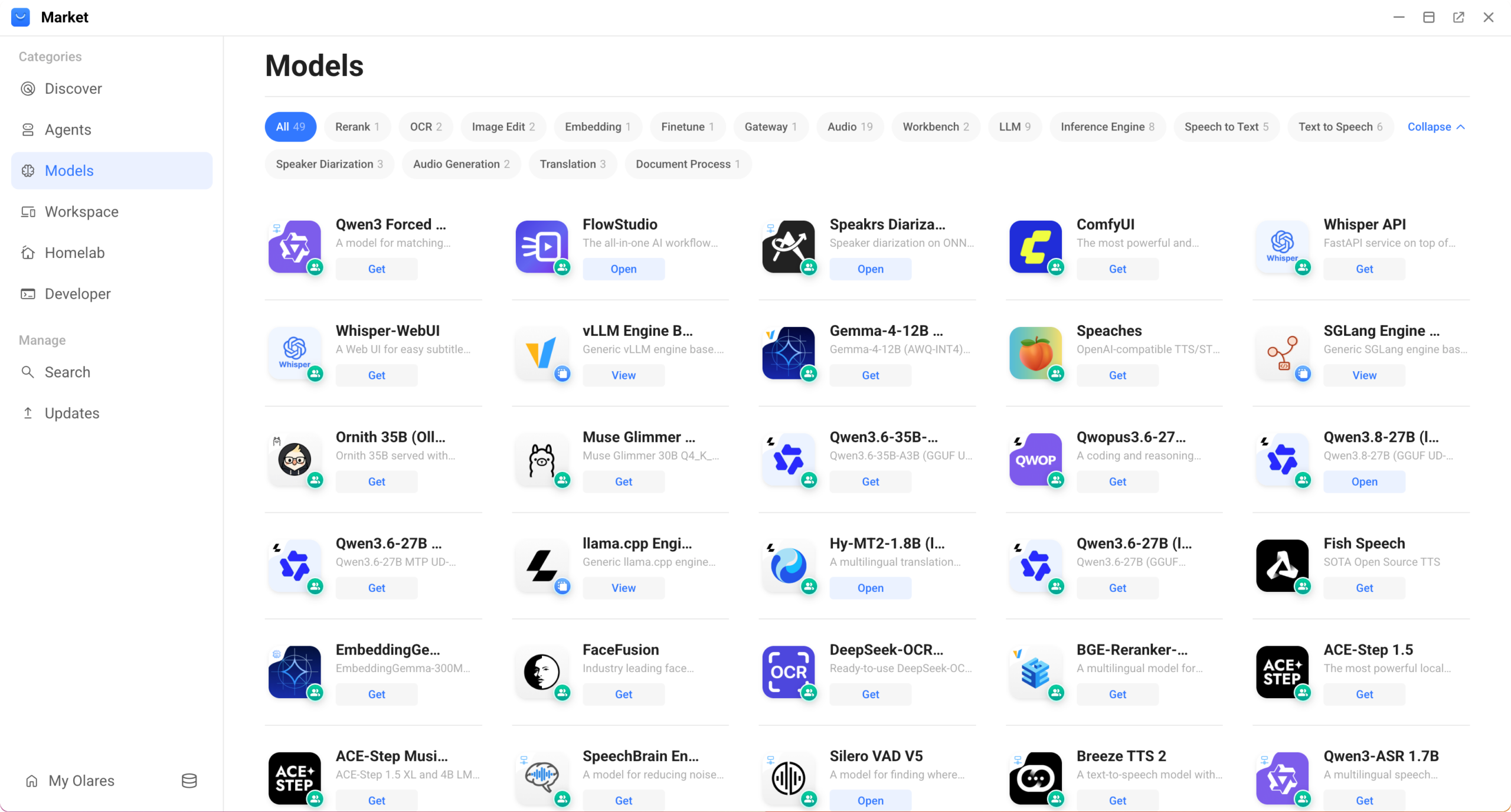
Router arrives alongside a much broader set of installable model applications. With Olares 1.12.7, the model lineup expands across conversation, speech, retrieval, document understanding, translation, and music generation:
- Conversation and reasoning: Gemma 4 is available for vLLM and Ollama, alongside Qwen3.5, several Qwen3.6 variants, Qwen3.8, Qwopus3.6, Muse Glimmer, and Ornith. The range of sizes and runtimes gives you more options for different hardware profiles.
- Speech and audio: Breeze TTS 2 and FireRedTTS3 Instruct support speech generation, while Faster-Whisper Large V3, Whisper Large V3 (FW), and Qwen3-ASR 1.7B cover transcription. Qwen3 Forced Aligner, Pyannote Embedding, Speakrs Diarization, Silero VAD V5, and SpeechBrain Enhance handle alignment, speaker analysis, voice activity detection, and audio enhancement.
- Translation, document understanding, and retrieval: Hy-MT2 supports local translation. dots.ocr, PaddleOCR Hybrid, and Surya OCR 2 extract content from documents and images. EmbeddingGemma, Jina CLIP V2, and BGE-Reranker-v2-m3 support search and retrieval workflows.
- Creative generation: ACE-Step Music supports local music generation.
The point is choice by capability, not one model for every job. A browser translation feature can use a compact translation model, while a research workflow can combine search, reranking, OCR, and a reasoning model.
Over the coming weeks, more Olares applications will expose these capabilities in focused workflows. We will introduce them as the experiences are ready, along with practical guides for selecting models that fit your hardware.
Recent LarePass updates: local access, translation, and Fetch
LarePass ships on its own application cadence, so these features are not all tied to the system release itself. Together, they make it easier to reach Olares on a local network and move information into it.
Use local domains without turning on VPN
On Windows and macOS, LarePass Desktop can manage host mappings for Olares applications. When your computer and Olares are on the same LAN, those mappings let supported Olares domains resolve locally without first enabling LarePass VPN. This is useful for everyday access at home or in the office, while VPN remains available when you are away.
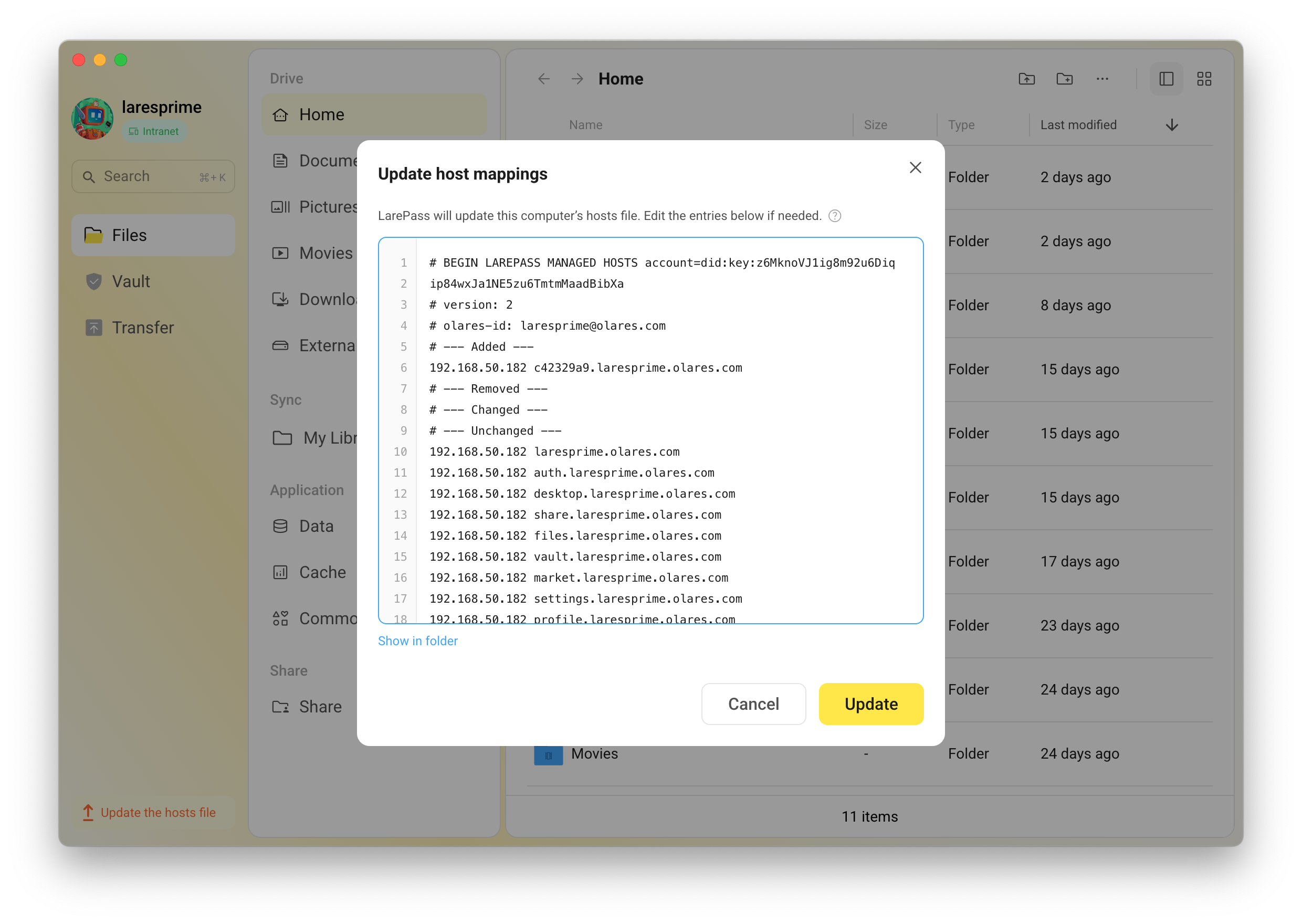
See local access methods for the setup and decision guide.
Translate webpages with a local model
The LarePass Chrome extension can translate a webpage through Router using the locally hosted Hy-MT2-1.8B model. It supports 33 languages and keeps the translation path under your control instead of sending the page to a separate translation service.
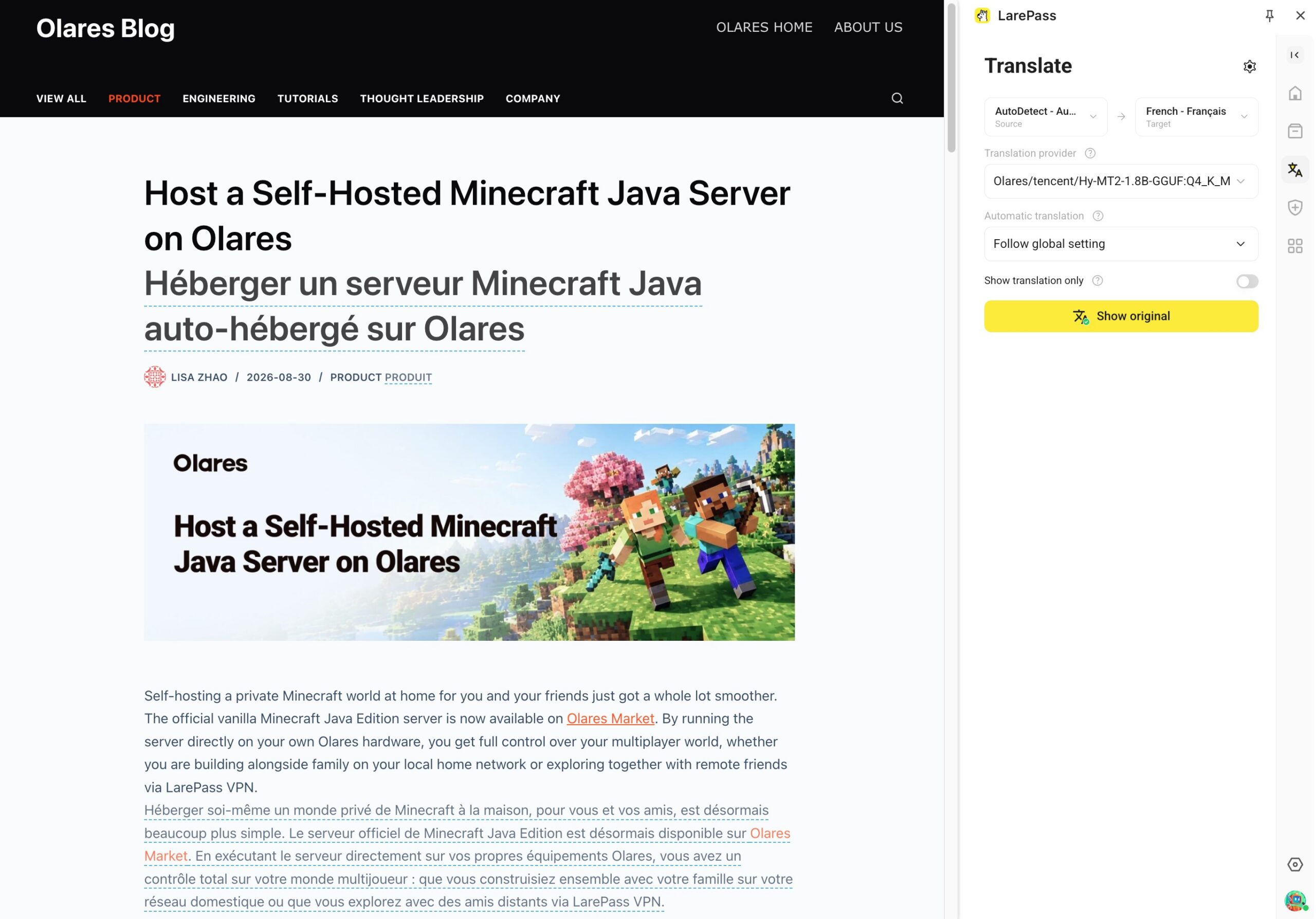
See translating webpages with LarePass for installation and usage.
Send downloads to Olares with Fetch
Fetch in LarePass Desktop accepts HTTP and HTTPS links, magnet links, torrent files, Hugging Face repositories, and supported media URLs. Add a resource from your computer and let Olares continue the transfer in the background, even after you close the desktop client.
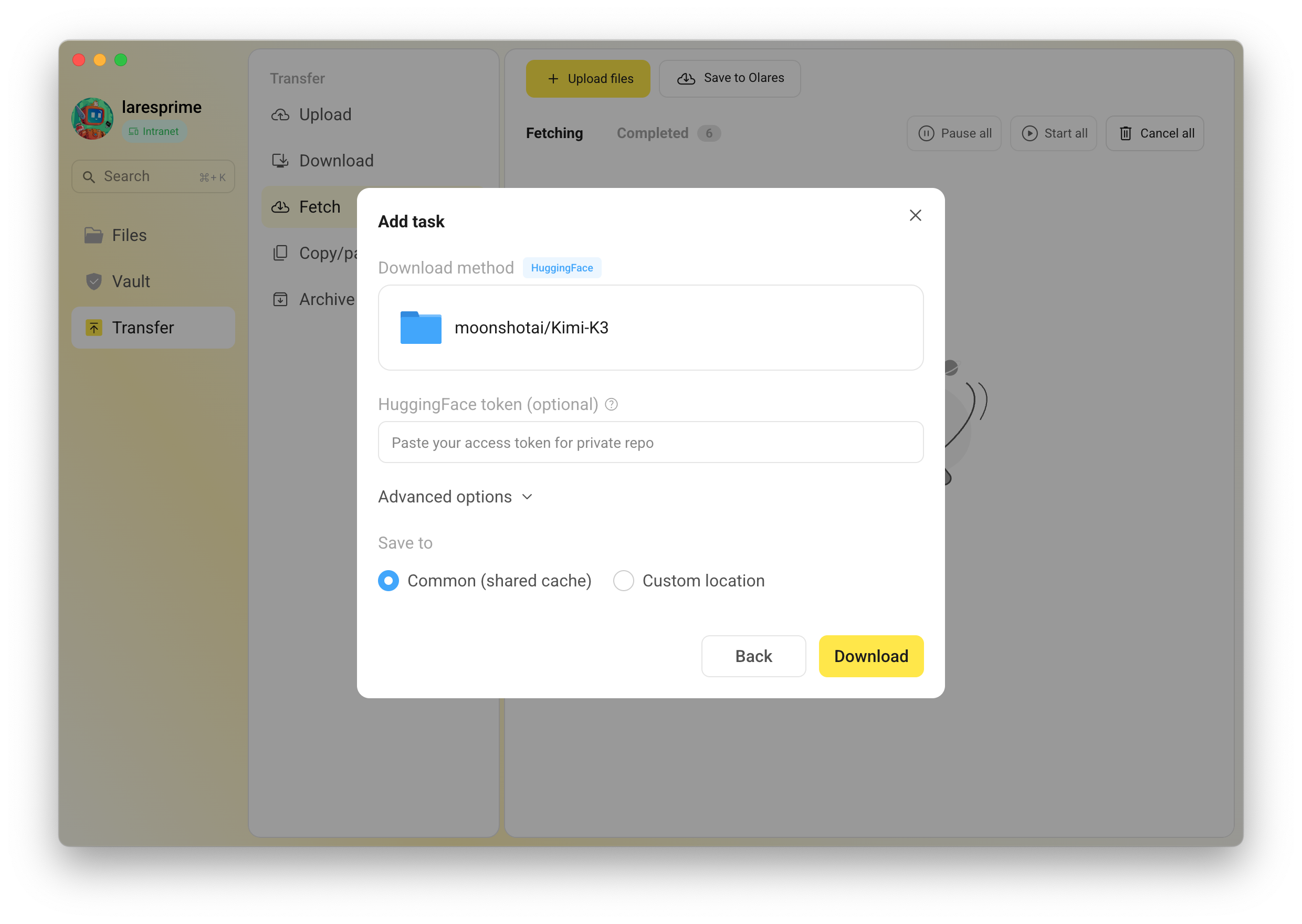
See saving resources to Olares for supported inputs and destination settings.
Five additional language options
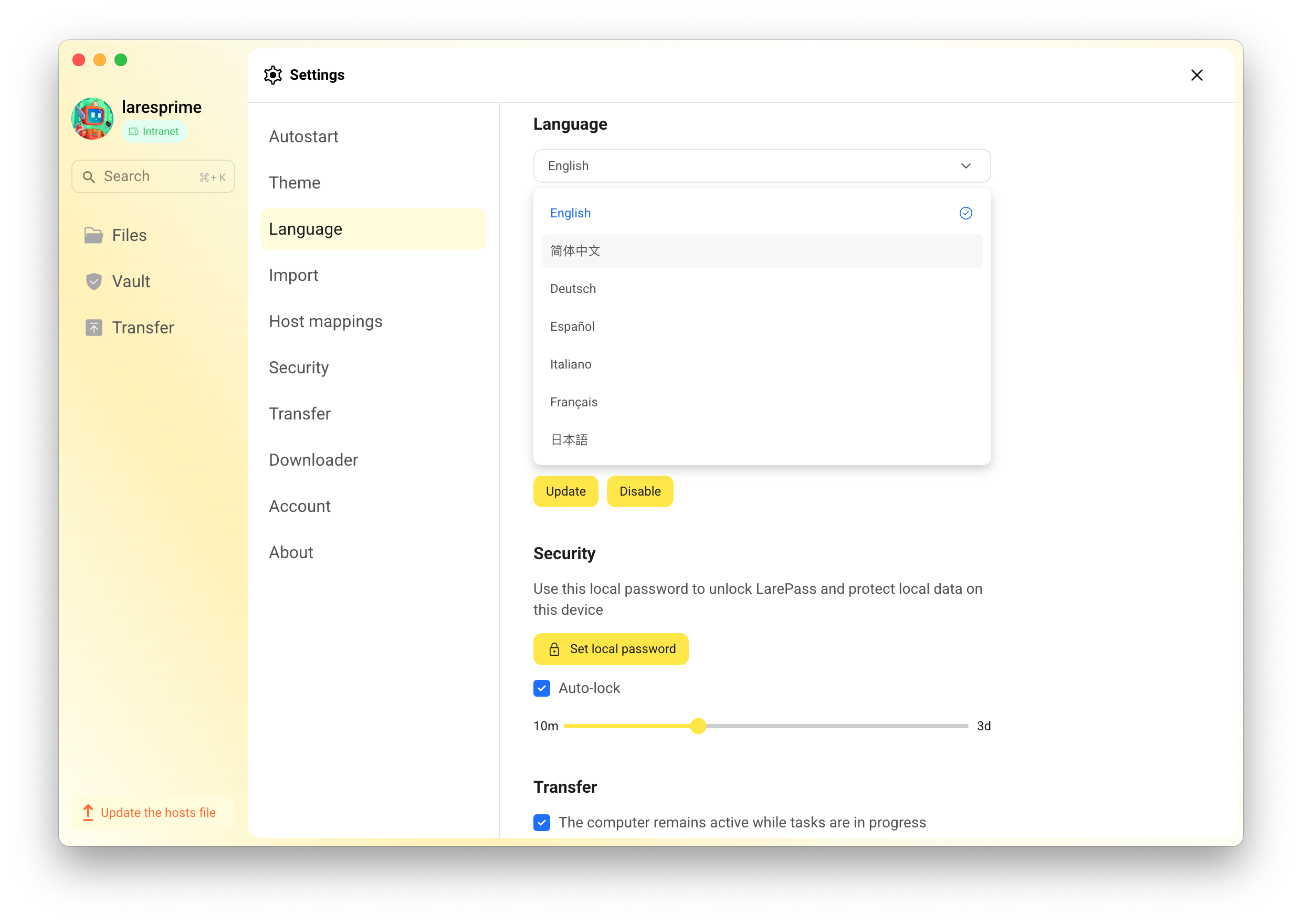
Olares now includes French, German, Italian, Spanish, and Japanese as language options alongside English and Simplified Chinese.
Coverage rolls out application by application. LarePass supports all seven languages, while the browser desktop and new first-party applications such as Router, Lares, and Ticket begin with English and Simplified Chinese in this release. We will continue expanding localized interfaces and content in subsequent application updates.
Get private support with Ticket
Ticket gives you a direct but private channel to official Olares support from your device or Olares Space. Submit a device-specific issue, attach system information and logs when needed, and track replies and status in one place.
Ticket keeps your request, diagnostic details, and follow-up conversation together, making it easier to handle issues that require deeper investigation or private context.
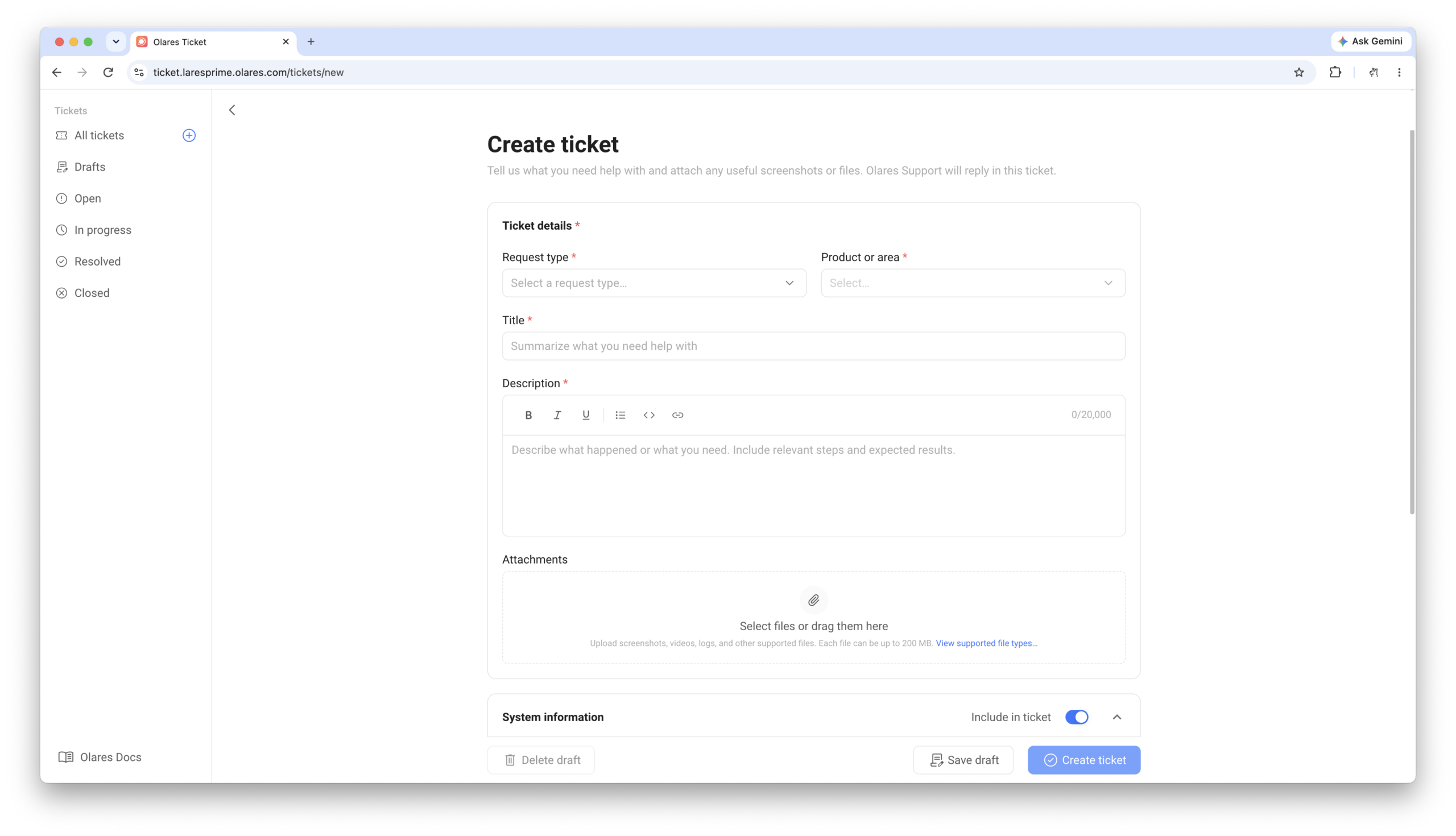
See Get technical support for instructions on creating and following a support request.
Other improvements and fixes
Olares 1.12.7 also includes a broad set of platform improvements:
- Global search now covers Drive, Sync, Google Drive, Dropbox, and Knowledge, with better indexing for Office files, PDFs, and scanned documents.
- App installs, updates, stops, and offline recovery are more reliable, while Market search and categories are easier to navigate.
- Overlay Gateway switching is safer, and multi-node setup and management are simpler.
- Files gains clearer folder-usage information and broader access to shared storage, alongside fixes for media playback, Sync, and downloads.
New in Market
Alongside the model applications covered above, Market also adds:
- Open Design: Create slide decks, landing pages, wireframes, prototypes, and design documents locally.
- Minecraft: Host a Minecraft Java Edition server on Olares, with a browser-based console and LAN or VPN access.
- Palworld: Host a dedicated Palworld server on Olares, with console access and LAN or VPN connections.
- VRAMarket: A community-contributed app for renting GPU memory peer to peer through Olares GPU memory slicing. Thanks to @jeffreyturov-dev for bringing VRAMarket to Olares.
- Blender: Create 3D models, animations, and renders in your browser, and connect Lares or other compatible agents through MCP to work on your scene.
- Concat: Edit videos in your browser with multiple tracks, transitions, and titles, with API and MCP access for automated editing.
- Junior Investor: A community-contributed app for kids and teens to learn investing through lessons, historical market scenarios, and simulated trading with virtual money.
- Locius: A community-contributed AI agent for tasks across Gmail, Notion, Slack, and the web, with approval prompts before sending, posting, or deleting.
- Unbound: Run your own DNS resolver with DNSSEC validation and caching, or use it alongside AdGuard Home.
Want to bring an application to Olares? See the app submission guide.
How to update to 1.12.7
Before you start, read the Olares 1.12.7 update guide for the correct update path from your current version and any application-specific notes.
- Update LarePass to the latest version available from your app store.
- Open LarePass and go to Settings > System > System update.
- Verify that Olares 1.12.7 is available, then select Update.
- Choose an update method and confirm the installation.
- Wait for Olares to restart, then refresh the desktop.
- Install Router, Lares, and the model applications you want from Market. The update guide recommends Qwen3.8-27B as a starting point where the hardware fits.
If this is your first time using Olares agents, continue with the onboarding guide. It covers the initial agent setup and introduces the Olares Skills available to supported applications.
What’s next
Every Olares release is shaped by the questions, bug reports, and ideas you share with us. Thank you for continuing to tell us what works and where Olares can improve.
Router and Lares establish a shared foundation that more Olares applications can build on. In the coming weeks, we will publish additional tutorials and introduce focused experiences for the expanded model catalog, with practical examples for research, documents, speech, translation, and creative work.
Update to Olares 1.12.7, try Lares with a task from your own workflow, and explore the new applications in Market. Tell us what works and what we should improve next on the Olares Forum, Discord, or directly in Olares Ticket.